
Instead of checking Airbnb reservations and copying each checkout into a cleaning calendar, connect your Airbnb calendar to a separate schedule, then confirm the cleaning appointment yourself. The calendar feed shows when the property is occupied; it does not book a cleaner or guarantee the home will be ready for the next guest.
- To connect Airbnb calendar to cleaning schedule, export the Airbnb calendar link and subscribe to it in a scheduling tool.
- An Airbnb calendar subscription tracks availability; it does not create or confirm turnover cleaning appointments.
- Verify checkout and check-in times before assigning work. Occupied dates alone do not define the cleaning window.
- Porch and Parlor Cleaning offers residential cleaning in greater Nashville, but an Airbnb calendar connection is not stated among its services.
Why this matters
A checkout on your Airbnb calendar is a signal that a turnover might be needed, not a cleaning appointment. A guest might leave early, a booking might change, or the next arrival might leave too little time for the work you planned. The useful workflow is calendar visibility plus a separate confirmation step.
If you are considering Porch and Parlor Cleaning for a Nashville-area property, treat its online booking as a separate step. Porch and Parlor Cleaning offers residential home cleaning; the supplied service information does not establish an Airbnb integration or a dedicated turnover service. Ask whether the cleaning you need is within scope before relying on the company for a guest changeover.
Before you start
- Airbnb access: Use an account that can open the listing's calendar and export its calendar link. If you manage several listings, identify the correct listing before copying anything.
- A destination calendar or scheduling tool: Google Calendar can display a calendar subscribed by URL. If you want cleaning tasks generated from reservations, choose a tool that explicitly supports Airbnb calendar imports and cleaning assignments; a calendar subscription alone will not do both jobs.
- Your turnover details: Have the property's checkout and check-in times, access instructions, cleaning checklist, and cleaner contact method ready. The gotcha: an exported availability calendar is not a dependable source for the exact work window or everything a cleaner needs to enter the home.
Before connecting anything in 2026, decide who owns the final confirmation. If that person is you, put a reminder on your own calendar to review new and changed stays. If a scheduling tool assigns jobs, check how it handles cancellations, date changes, blocked dates, and approval before you turn on automatic assignments.
Export calendar
Airbnb's exported calendar link lets another calendar read listing availability. Work from the listing you actually want to schedule; a link for the wrong property can create a very tidy calendar for the wrong house.
- Open the listing in Airbnb and go to Calendar.
- Open Availability and look for Connect calendars or the calendar-sync controls. Airbnb's labels can vary by account view, so use the control for exporting the listing's calendar, not importing another calendar into Airbnb.
- Select Export calendar, then copy the calendar URL Airbnb provides. Keep the URL private: anyone you share it with can use it to view the availability it exposes.
- Name the listing in your own records before moving to the destination calendar. If you handle more than one property, match the copied URL to the listing while the Airbnb page is still open.
Expected result: You have an exported Airbnb calendar URL for the correct listing. Nothing has been scheduled with a cleaner yet. In 2026, that distinction remains the part most likely to cause trouble: exporting availability is not an instruction to perform a turnover.
Subscribe to feed
Google Calendar is one way to see an exported Airbnb calendar beside your existing schedule. Use a desktop browser for this setup; the subscription controls are easier to find there than in a mobile calendar view.
- Open Google Calendar and find Other calendars in the left sidebar.
- Select the + control beside Other calendars, then choose From URL.
- Paste the Airbnb export URL into URL of calendar and select Add calendar.
- Find the subscribed calendar under Other calendars. Give it a name that identifies the property if your calendar settings allow it.
- Compare an existing Airbnb reservation with the dates shown in Google Calendar. Check the listing and dates rather than assuming that seeing events means you pasted the right link.
Expected result: The Airbnb availability feed appears as a separate calendar. It is a reference, not an editable cleaning calendar. Subscribed calendars can take time to show changes, so check Airbnb directly before acting on a recent booking change or cancellation.
Do not add cleaning appointments to the imported Airbnb calendar. Keep them on a calendar you control, where you can assign a time, record access details, and update the appointment without confusing an occupied night with a completed clean.
Check turnover window
Now turn each departure that needs cleaning into an actual work request. Start with the reservation in Airbnb, because occupied dates do not tell a cleaner when they can enter or when the home must be finished.
- Check the departing reservation's checkout time and the next reservation's check-in time in your hosting details.
- Decide whether the available window fits the work you need. For example, an 11 a.m. checkout and a 4 p.m. check-in leave 5 hours between those times. If you plan 3 hours of work, only 2 hours remain for access, delays, and your final check. Those times are an example, not a default Airbnb schedule or a promised cleaning duration.
- Write down the address, entry method, rooms or tasks requiring attention, and anything that must be ready for the arriving guest. Share access information only through a method appropriate for your cleaner.
- Check whether the departing stay actually calls for a turnover. A blocked date, your own use of the property, or a gap with no incoming guest needs a different decision from a same-day changeover.
Expected result: You have a specific cleaning window and a clear request, not just a calendar event that says the property is occupied. If the window does not fit, resolve it before making an appointment. A calendar connection cannot create more time between guests.
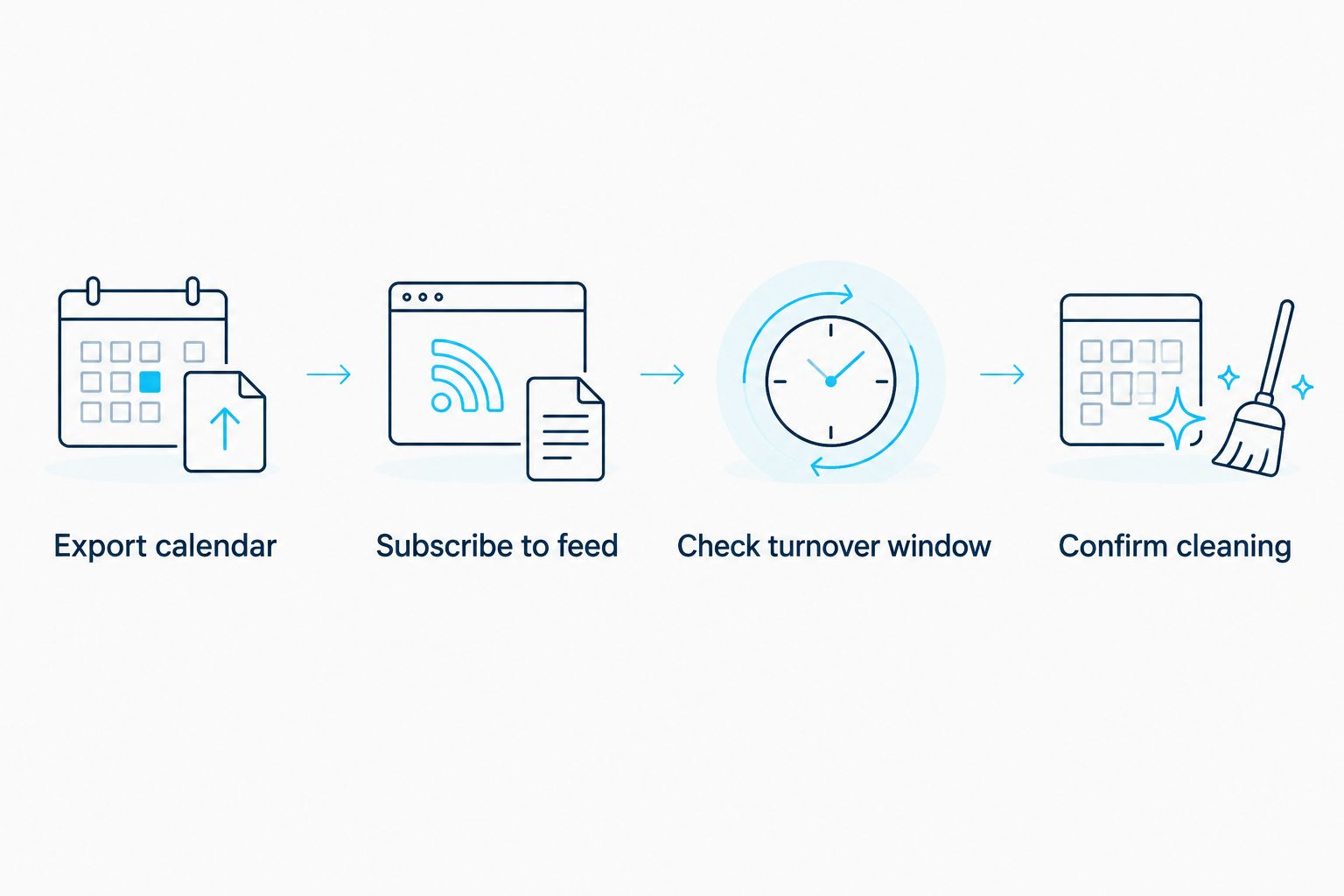
Confirm cleaning
A calendar entry is not a yes from a cleaner. In 2026, use the imported calendar to spot possible turnovers, then create and confirm each appointment through the cleaner's actual booking or communication process.
- Add a cleaning event to a calendar you can edit, using the work window you checked. Put the property name in the event title so it cannot be mistaken for another listing.
- Send the cleaner the date, requested start and finish window, property details, access method, and task list through your usual booking channel. Do not assume the Airbnb calendar subscription forwards any of this information.
- Wait for an appointment confirmation. Record that confirmation on the cleaning event, and keep unconfirmed requests visibly separate from confirmed visits.
- Review the event when a reservation changes. Check both Airbnb and the cleaning appointment; changing one does not necessarily change the other.
Expected result: The reservation and cleaning appointment are visible as separate records, and a person has confirmed the work. That is the point at which your schedule becomes usable rather than merely connected.
If you want to discuss residential cleaning with Porch and Parlor Cleaning, describe the property and the work you need before booking. Its stated offering is home and residential cleaning for homeowners in greater Nashville, not a documented automatic Airbnb turnover integration. Best for Nashville-area homeowners seeking residential cleaning; not a verified hands-off Airbnb scheduling tool.
Choose how much to automate
There are 2 sensible ways to use the Airbnb export link. Pick based on whether you need a reminder to book work or a tool that can manage assignments. Neither option removes your responsibility to check whether the next guest's arrival leaves enough time.
| Option | Best for | What it does | Limitation |
|---|---|---|---|
| Airbnb feed in Google Calendar | A host who confirms cleaning personally | Displays imported availability beside an editable cleaning calendar | Does not create or confirm cleaning appointments; updates are not necessarily immediate |
| A scheduling tool with Airbnb calendar import and cleaning assignments | A host who wants reservation changes to enter a task workflow | Can use imported availability to support cleaning assignments, if its stated features include them | You must verify how it treats blocked dates, changes, cancellations, and confirmations |
For a single property, the separate-calendar approach keeps the decision visible: you see the departure, check the next arrival, and book the work. For multiple properties, look for a scheduling tool that identifies the listing on each task and shows whether a cleaner accepted it. Do not call a workflow automatic until you have checked what happens when a reservation changes.
Schedule cleaning when a reservation changes
A new booking is only half the story. In 2026, build the same check around updated stays: a changed checkout date can move the work, and a cancelled reservation can leave a cleaning appointment on your calendar unless someone removes it.
- Compare the updated Airbnb reservation with the subscribed feed. If the feed has not changed yet, use Airbnb as the current reservation reference.
- Find the corresponding cleaning event on your editable calendar. Match the property and guest changeover date; do not move an appointment based only on a similar-looking date.
- Recheck the departure and next arrival times. Send the revised window to the cleaner and get confirmation before treating the appointment as changed.
- Update or cancel your cleaning event separately. Check that the cleaner received the change through the channel used to confirm the original booking.
Expected result: The cleaning appointment reflects the current reservation, and the cleaner knows about the change. A synced availability feed helps you notice the issue; it does not prove that an existing appointment moved.
Troubleshooting
- The Airbnb dates do not appear. Confirm that you used Export calendar for the right listing and pasted its URL under From URL. Check an existing reservation after the calendar has had time to load; do not keep adding copies of the same feed.
- A new booking appears in Airbnb but not in Google Calendar. Subscription updates are not guaranteed to appear immediately. Check the live reservation in Airbnb and handle a near-term turnover directly instead of waiting for the feed.
- The calendar shows an occupied date but no cleaning time. Availability and appointment time are different data. Check the property's checkout and check-in details, then create a timed cleaning event on a calendar you can edit.
- A cancellation leaves a cleaning appointment behind. Changing the Airbnb reservation does not necessarily remove a separate booking. Contact the cleaner, confirm the change, and update your cleaning calendar.
- A blocked date looks like a guest stay. Do not create work from every unavailable date. Check the listing in Airbnb to identify why the date is unavailable before assigning a cleaning.
Customize your workflow
Once the basic connection works, make the human checks easier rather than adding more blind automation. Keep a separate cleaning calendar for each property or use unmistakable property names in event titles. Put the access method and task list in the booking request, and keep a clear status for requests that are awaiting confirmation.
Review the process after a real reservation change, not just after the first successful calendar import. In 2026, the test is whether you can identify the affected cleaning, contact the right person, and confirm the revised time without treating an old calendar event as current.
If you are deciding what work to request, separate the scheduling question from the cleaning question. A routine residential visit, a guest turnover, and restocking supplies are not interchangeable descriptions. Tell any prospective cleaner exactly what the property needs and confirm which tasks they accept; do not infer service scope from an online booking page.
FAQ
How do I connect Airbnb calendar to cleaning schedule?
Export the listing's calendar URL from Airbnb and subscribe to it in a calendar or compatible scheduling tool. Then create or confirm cleaning appointments separately, because the exported feed does not book a cleaner.
Will my Airbnb calendar automatically book a cleaner?
No. An Airbnb calendar export shares availability; automatic cleaning assignments require a separate tool and a workflow that supports them. Confirm what the tool does when bookings change or cancel.
Can I add my Airbnb calendar to Google Calendar?
Yes. In Google Calendar, use the plus control beside Other calendars, choose From URL, and add the Airbnb export link. Check a known reservation to verify you connected the right listing.
Does an Airbnb calendar export show my cleaning window?
No. Check the property's checkout and next check-in times before setting a cleaning appointment. Occupied dates alone do not establish when a cleaner can enter or must finish.
What happens to cleaning if an Airbnb guest cancels?
Check and update the cleaning appointment separately. A cancelled Airbnb reservation does not guarantee that a separately booked cleaner has been notified or cancelled.
Can I use one calendar connection for several Airbnb listings?
Export and identify the calendar for each listing you want to track. Keep property names clear in your cleaning schedule so a departure at one address does not trigger work at another.
Does Porch and Parlor Cleaning connect directly to Airbnb?
A direct Airbnb connection is not stated in the supplied information. Porch and Parlor Cleaning offers residential cleaning in greater Nashville through online booking; confirm the work you need and arrange appointments separately.
One last thing
Test a changed reservation before trusting an automatic turnover workflow. A successful calendar import proves that dates can appear on another screen. It does not prove that a cleaner has the right address, the right time, or a confirmed appointment.