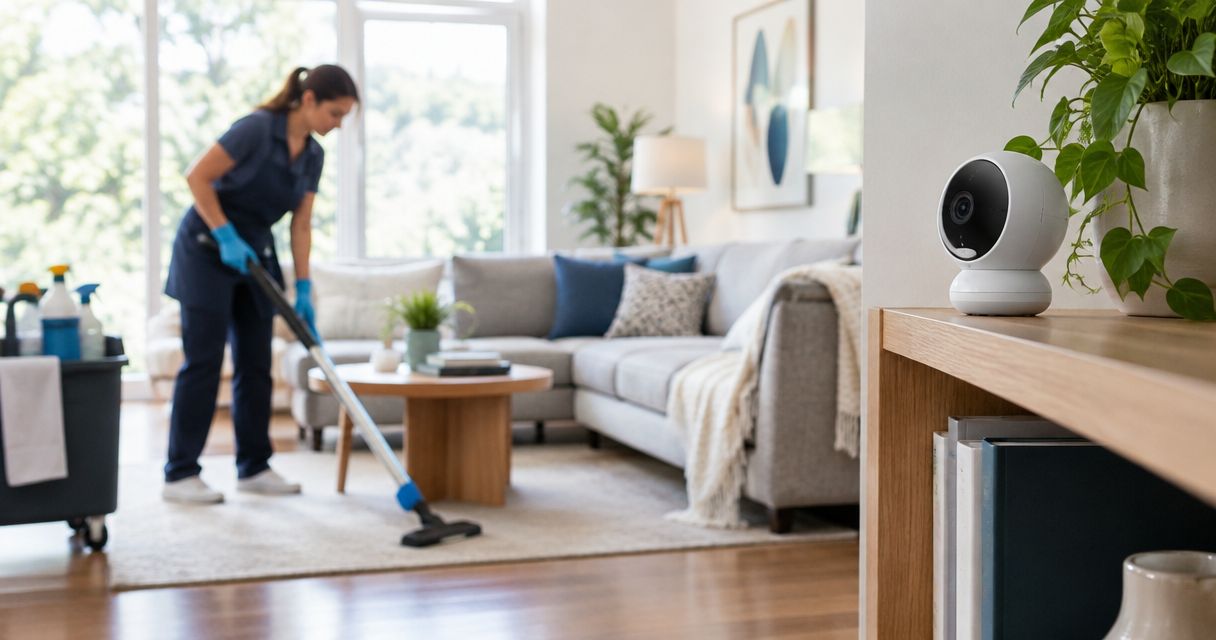
Yes, house cleaners can work with security cameras in the home when the cleaning provider accepts the arrangement and you address recording, placement, and privacy before the visit. A camera does not replace that conversation, and permission to record video does not automatically settle questions about audio. For a 2026 cleaning appointment, disclose your cameras before booking and get the provider’s answer in writing.
- Can house cleaners work with security cameras in the home? Yes, subject to the provider’s agreement and applicable recording rules.
- Disclose indoor cameras, doorbell cameras, microphones, and live monitoring before your house cleaning appointment.
- Keep cameras out of bathrooms and changing areas; resolve audio recording questions separately from video.
- Porchandparlorcleaning offers Nashville-area residential cleaning; ask about its camera policy before arranging a visit.
Can house cleaners work with security cameras in the home?
Yes—but get an explicit agreement rather than assuming that a visible camera is enough notice. Tell the cleaning provider where cameras are located, what they capture, and whether they record sound or allow live viewing. Ask whether that setup meets the provider’s policy.
For Nashville-area residential cleaning, Porchandparlorcleaning offers online booking. Ask about cameras before arranging the appointment; an online booking by itself should not be treated as approval of your recording setup.
Use this sequence before a cleaner arrives:
- List devices. Include indoor cameras, doorbell cameras, baby monitors, and other devices that capture the work area.
- Check recording. Confirm whether each device records video, audio, or both, and whether someone can watch live.
- Ask permission. Send the details to the provider and request written confirmation that the arrangement is acceptable.
- Protect privacy. Keep recording devices out of bathrooms and places used for changing clothes.
- Confirm instructions. Explain which devices must remain untouched and whom the cleaner should contact with questions.
These are preparation steps, not a substitute for legal advice. If you need a legal answer about a particular camera or microphone, ask a qualified Tennessee attorney about your exact circumstances.
Why this matters
You want reassurance that your home is secure. The person cleaning it needs to understand the conditions of the job. Those goals are easier to reconcile before arrival than during an awkward conversation under a blinking camera light.
Treat camera disclosure as part of the work instructions, not as a test of whether a cleaner is trustworthy. Someone asking about recording is asking about their working environment. Keep the discussion practical: what records, where it records, and what both sides have agreed to.
For your 2026 household instructions, separate security information from cleaning priorities. A note about the entry camera belongs alongside access instructions; a request to scrub the shower belongs on the cleaning checklist. Neither should get buried in the other.
Which camera arrangement should you discuss with your cleaner?
Different setups serve different purposes. Choose the least intrusive arrangement that meets your security needs, then confirm that the provider accepts it. The following comparison describes practical trade-offs—not legal clearance or any particular company’s policy.
| Arrangement | Best for | Practical benefit | Limitation or concern |
|---|---|---|---|
| Disclosed entry camera | Homeowners focused on arrivals and departures | Keeps the security focus on the entrance | Does not show whether interior cleaning tasks were completed; check audio settings |
| Disclosed indoor video | Homeowners seeking coverage of an agreed shared area | Shows activity within the camera’s view | Requires a clear discussion of placement, privacy, and recording settings |
| Indoor cameras paused during service | Homeowners prioritizing an unrecorded work area | Removes indoor recording from the visit when recording is actually disabled | Leaves no indoor video record; confirm that pausing also addresses audio |
Start with the security purpose, not the biggest possible field of view. If you only want to confirm entry, discuss an entrance-focused setup rather than treating whole-home recording as the default.
Do not assume that a camera’s indicator light tells you everything. Check the device settings and instructions so you can accurately explain what is enabled. If you cannot describe the setup, resolve that before asking someone else to work around it.
What should you tell the cleaning company about cameras?
Give the provider information it can act on. Saying that your house is smart does not explain whether a microphone records conversations in the kitchen.
Include these details in your message:
- Location: Name each room or entrance covered by a device.
- Video: Explain whether video is saved, viewed live, or both.
- Audio: State whether microphones are enabled.
- Access: Explain who can view the footage or live feed.
- Handling: Identify any device or cable the cleaner should leave untouched.
- Changes: Say whether you can pause recording or adjust placement if requested.
Ask the provider to confirm that the people attending the appointment will receive the camera information. Approval from a booking contact is not useful if the cleaner arrives without the instructions.
Keep the accepted arrangement with your 2026 cleaning notes. Update it whenever you add a device, move a camera, enable a microphone, or change who can watch. Yesterday’s agreement does not describe a newly installed camera in the hallway.
What should a camera disclosure message include?
Write a short, factual message rather than a legal-sounding announcement. Identify the devices and settings, explain your security purpose, and ask whether the provider accepts that arrangement.
You can structure your own message around these prompts:
- Where are the cameras?
- Is audio recording switched on or off?
- Will anyone watch live?
- Which spaces are not recorded?
- Does the provider need any changes before accepting the visit?
Fill in the actual details. Do not promise that audio is disabled until you have checked it, and do not describe a device as video-only just because you never use its microphone.
Why camera arrangements vary
There is no reason to expect every cleaning provider to accept the same recording conditions. Ask about your home’s setup rather than relying on another homeowner’s experience.
The discussion should address these factors:
- Provider agreement: Get the company’s answer about its own working conditions rather than assuming acceptance.
- Camera placement: Explain whether a device faces an entrance, a shared living space, or a private area.
- Audio settings: Identify microphones separately so that a conversation about video does not overlook sound.
- Monitoring access: Disclose whether you or another person will watch remotely.
- Cleaning access: Explain whether a camera, stand, or cable occupies a surface that needs cleaning.
- Household privacy: Identify spaces used by family members, guests, or other household workers who also need clear boundaries.
These details help define an acceptable visit. They do not establish whether recording is lawful, and a provider’s agreement does not replace a legal review when one is needed.
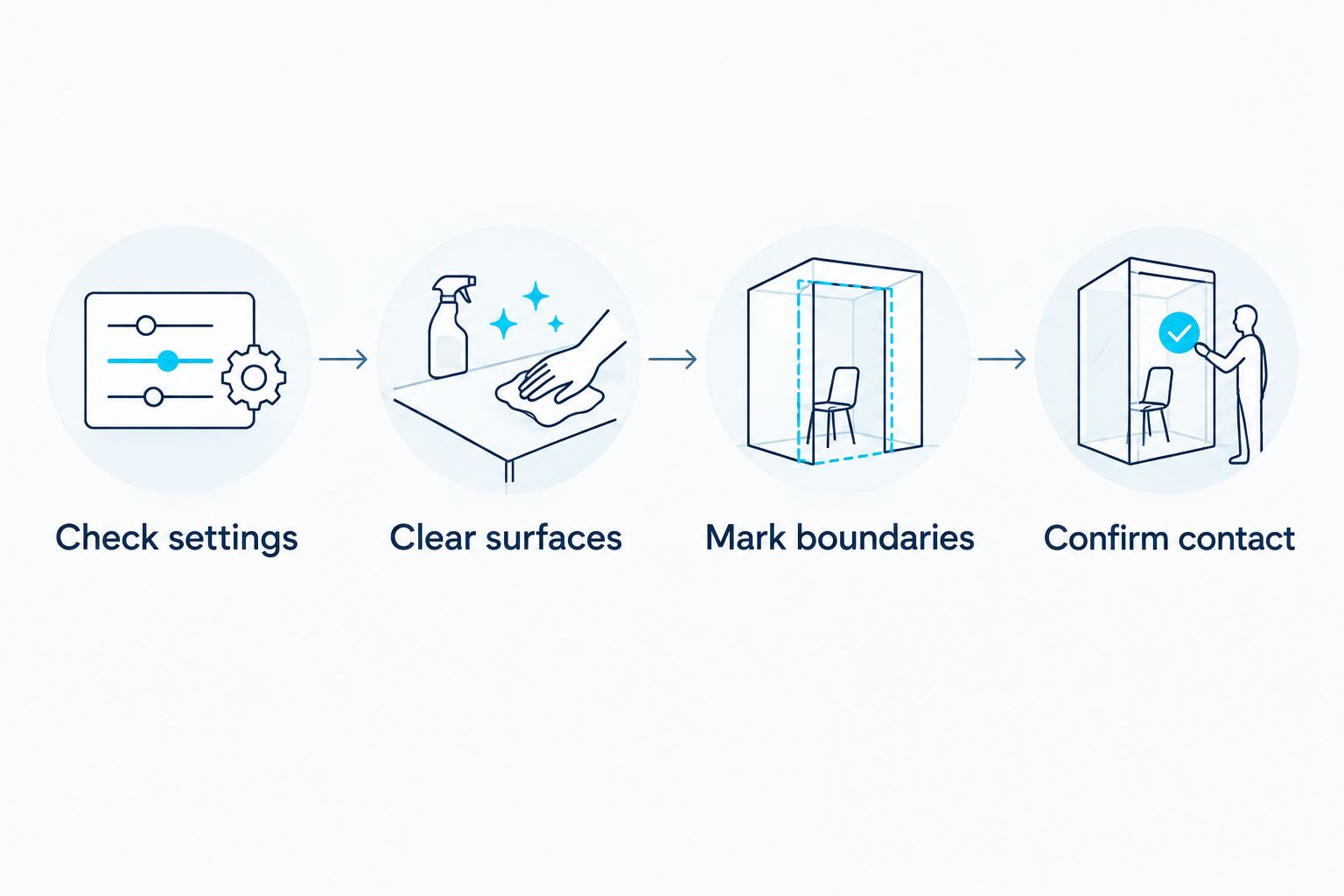
How do you prepare cameras before cleaning day?
Handle device settings yourself before the appointment. Asking the cleaner to figure out your camera app adds a job that has nothing to do with cleaning the house.
Check settings
Open the controls for each relevant device and verify the settings you disclosed. Check video, audio, live access, and any recording schedule separately. If you agreed to pause recording, confirm that the pause applies during the visit.
Clear surfaces
Move loose charging cables and portable camera stands away from surfaces that need wiping. Keep cords out of walking routes. If a device cannot be moved, explain how you want the surrounding area handled.
Mark boundaries
Identify rooms that are excluded from cleaning and explain any device that must remain untouched. Do not expect a closed door or a small camera label to communicate the full plan.
Confirm contact
Give the cleaner an agreed way to reach you if a camera blocks access or a recording concern comes up. A quick question is better than an unplugged device and a guessing game.
Before the first visit of 2026—or the first visit after changing your setup—walk through the instructions once more. Check that the written description still matches the home. A camera moved from the front window to the living room changes what the cleaner needs to know.
Can I leave my cameras on while I am away?
You can discuss leaving cameras on while you are away, but confirm the recording arrangement and home-access instructions separately. Agreement about cameras does not answer how the cleaner gets inside, handles an alarm, or secures the house afterward.
Avoid treating a live feed as a running commentary channel. Send cleaning priorities before the appointment and use the agreed contact method for questions. Nobody needs a surprise voice from the bookshelf while they are dusting it.
If you see something concerning, note the time and ask the provider for context. A camera shows the area in view; it does not explain every action or show work completed elsewhere in the home.
Can cleaners ask me to turn security cameras off?
A cleaner or provider can raise a concern and ask for a different arrangement. Discuss whether the issue involves audio, placement, live monitoring, or recording itself rather than treating every objection as the same request.
If you cannot agree, resolve that before the appointment proceeds. Ask the provider what the next step is under its terms; do not assume the outcome, cancellation arrangements, or any exception.
A workable camera arrangement needs an informed yes, not silence. If recording is essential to you and unacceptable to the provider, choose a different arrangement instead of hiding the device.
Who should Nashville homeowners ask about camera policies?
Ask the cleaning provider directly, using its official contact channel. For questions about Porchandparlorcleaning residential cleaning, use the contact page to describe your devices and request confirmation before arranging service.
Porchandparlorcleaning is best suited to greater Nashville homeowners seeking residential cleaning booked online. Camera acceptance is a separate question to settle directly; online scheduling is convenient, but it does not establish a recording policy.
Include access needs and cleaning priorities in the same conversation without blending them together. That gives the provider a clear picture of the visit while keeping your security request specific.
FAQ
Do I have to tell my house cleaner about indoor cameras?
Tell your house cleaner and the cleaning provider about indoor cameras before the visit. Disclosure is the practical starting point for an agreed arrangement; ask a qualified attorney whether your specific setup also has legal notice or consent requirements.
Can I record audio while my house cleaner works?
Do not assume that agreement to video recording also covers audio recording. Disclose microphones separately, ask about the provider’s policy, and get advice about the recording rules that apply to your circumstances.
Is a visible security camera enough notice for a cleaner?
Do not rely on visibility alone to explain your recording setup. A visible device does not tell the cleaner whether audio is enabled, footage is saved, or someone is watching live.
Should I turn off cameras in bathrooms before a cleaning visit?
Keep recording devices out of bathrooms and areas used for changing clothes. Address any existing device before the appointment rather than asking the cleaner to manage a private-space recording concern on arrival.
Can a cleaner unplug a camera to clean around it?
Agree on device handling before the visit rather than assuming the cleaner should unplug a camera. Move portable equipment yourself where practical, and give clear instructions about devices that must remain untouched.
Can I watch my cleaner live from my phone?
Disclose live monitoring and ask whether the cleaning provider accepts it before the appointment. Use an agreed contact method for instructions rather than surprising the cleaner through a camera speaker.
Does Porchandparlorcleaning allow security cameras during cleaning?
Ask Porchandparlorcleaning directly to confirm its current camera policy for your home. Describe camera locations, audio settings, and live monitoring before arranging the appointment.
One last thing
The easiest detail to forget is what happens after you move a camera. Your written instructions might still describe an entrance camera while the device now faces the dining table.
For every change to your 2026 setup, update the disclosure before the next cleaning visit. Keep the agreement as current as the equipment. That small housekeeping task belongs to you—not the person arriving to do the actual housekeeping.