Instead of manually comparing lawn visits and cleaning appointments every week, coordinate your lawn care and house cleaning schedule in one calendar, with yard work before indoor cleaning when both visits share an entrance. Keep the bookings separate, then add a reminder to check weather changes and confirm the order with both providers.
- Coordinate lawn care and house cleaning schedule changes in one calendar, but confirm appointment changes with each provider.
- Porch and Parlor Cleaning serves greater Nashville homeowners booking residential cleaning online; lawn appointments remain separate.
- Choose lawn care first when shared entrances would otherwise bring yard debris across freshly cleaned floors.
- Use separate service events and a weather-check reminder rather than assuming automatic booking synchronization.
Why this matters
A freshly cleaned entryway and a pair of grass-covered shoes are not a great team. If mowing, blowing, pet trips, and indoor cleaning all use the same doorway, the order of work matters more than matching the appointment dates.
Porch and Parlor Cleaning is a fit for greater Nashville homeowners who want to book residential house cleaning online. Start with the confirmed cleaning appointment from Porch and Parlor Cleaning, then arrange lawn care around the access route and arrival window. This calendar workflow organizes your household; it does not connect either provider’s booking system.
For your 2026 household calendar, decide whether you need both services on the same day or simply need them to stop getting in each other’s way. Those are different goals.
Before you start
- Have access to your personal Google Calendar on a computer, plus the latest appointment confirmations from both providers. Use confirmed arrival windows, not the times you originally requested.
- Gather entrance instructions, parking needs, pet arrangements, and each provider’s process for changing an appointment. Keep access codes out of broadly shared calendar descriptions.
- Watch the hidden snag: editing your calendar does not reschedule a service. A lawn visit moved because of rain can still collide with an unchanged cleaning booking unless you contact the providers.
You do not need access to a cleaner’s BookingKoala account or your lawn company’s scheduling software. Porch and Parlor Cleaning uses a BookingKoala-powered scheduling site, but this guide uses your own calendar as the planning layer.
Choose your visit order
These are scheduling arrangements, not service packages. Choose the one that matches how people move through your home.
| Arrangement | Best for | Advantage | Trade-off |
|---|---|---|---|
| Lawn care before cleaning | Homes with a shared entrance or muddy pet route | Indoor cleaning follows the outdoor traffic | A delayed lawn visit can disrupt the sequence |
| Separate service days | Homes with uncertain lawn arrival windows | Neither crew depends on the other finishing | You manage appointments across different days |
| Same day, separate access | Homes with genuinely independent entrances and parking | Both visits fit into one household service day | Shared gates, pets, or driveways still need coordination |
Choose separate days when the lawn crew cannot confirm a workable arrival window. A tidy calendar is not much help if the driveway becomes a waiting room.
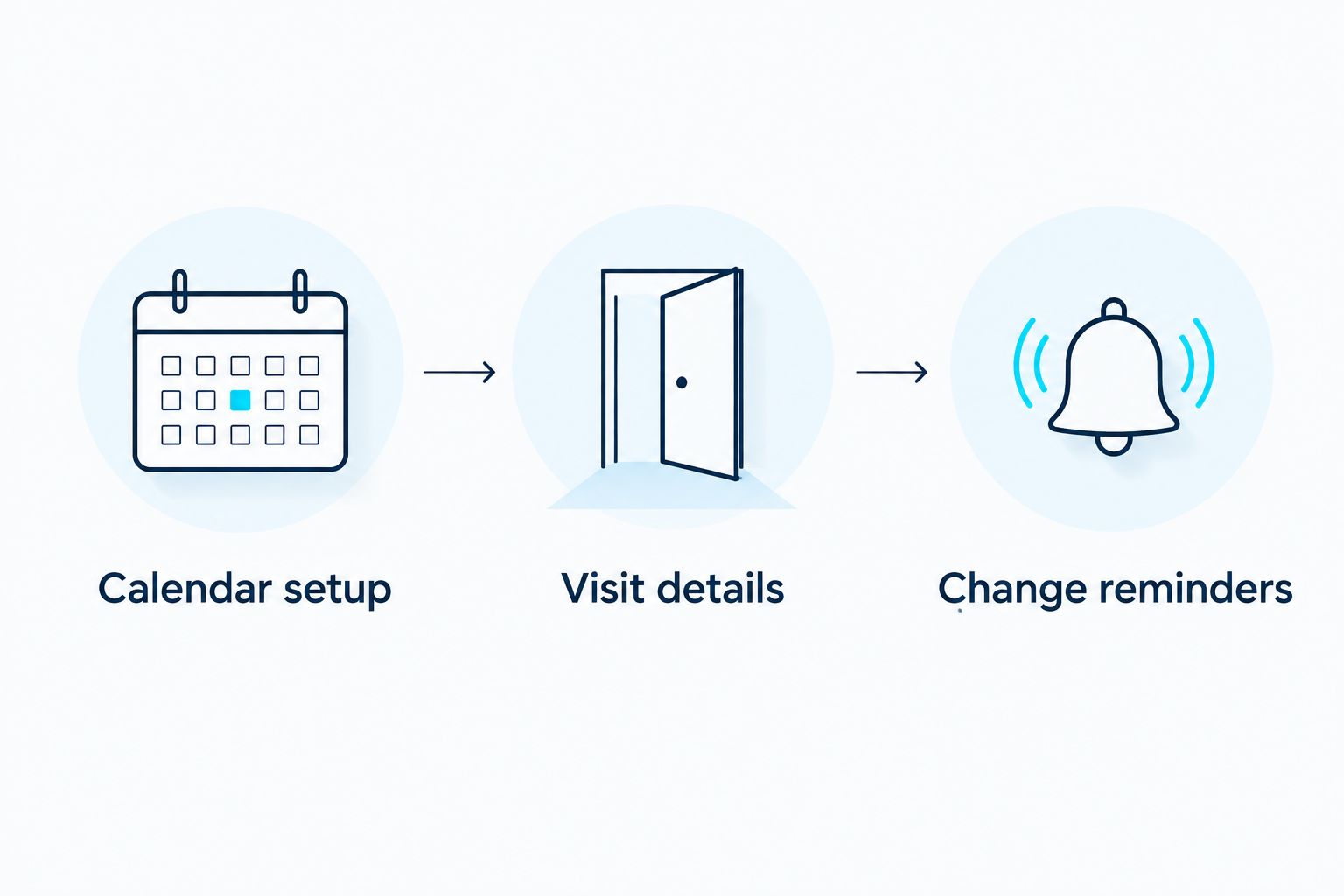
Calendar setup
Use Google Calendar on a computer for the following steps. The event names below are examples you create, not fields in either provider’s booking system.
- Open Google Calendar and select Create, then Event.
- In Add title, enter a clear name such as Lawn care — confirmed window.
- Set the date and start and end times to match the provider’s confirmed window. Do not turn an approximate arrival into a precise appointment.
- Select Save.
- Create a separate event named House cleaning — confirmed window, using the cleaning confirmation.
- Create a third event named Weather and access check before the service day. Choose a reminder time when you can actually contact both providers.
As a planning example, put the check 24 hours before the first visit. That is a household reminder suggestion, not either company’s required notice period; use an earlier check when a provider’s change policy requires it.
Expected result: your calendar shows 2 separate service events and a preparation check. You can see an overlap without opening old messages or guessing which appointment was confirmed.
For a new 2026 setup, enter the next confirmed visits first. Add repeating events only after you have checked the actual service cadence.
Visit details
Each event needs enough information to prevent a mix-up, not a novel. Keep the practical details where the person managing the house can find them.
- Open the lawn-care event and select the pencil-shaped edit control. In Description, record the confirmed arrival window, the agreed parking spot, and the entrance or gate the crew should use.
- Open the cleaning event and add the corresponding access route and parking instructions in Description. Record any request about the entryway as a request until the cleaning provider accepts it.
- Ask the lawn provider whether outdoor work near the entrance can finish before the cleaning arrival window. Do not assume mowing is the final task; ask about any blowing or equipment loading near that route.
- Ask the cleaning provider whether the planned access and sequence work for the visit. Share relevant changes directly, not just in your personal calendar.
- Select Save after updating each event.
For a hypothetical 2026 planning example, you might reserve a 30-minute gap after the lawn crew’s confirmed finish. That is an example buffer, not a promise that a crew will finish on time or that an entrance will be dry. Ask both providers what separation works.
Expected result: each event shows the agreed route and relevant timing. Any unresolved request remains clearly marked as unconfirmed.
Keep the entry route simple
Choose one place for outdoor shoes and one route for necessary pet trips. Move loose toys and garden equipment out of that path before either crew arrives.
If both crews need the same gate, assign responsibility for opening and securing it. Do not leave that decision to whoever happens to arrive first, especially when a pet uses the yard.
Change reminders
A reminder should trigger a decision. Its job is to make you check the appointment, not merely tell you that Tuesday exists.
- Open the Weather and access check event and select the edit control.
- In Description, add three short prompts: confirm lawn timing, confirm cleaning timing, and check entrance access.
- Select Add notification and choose a notification time you will notice before the check begins. Select Save.
- For a genuinely recurring service, edit its event and open Does not repeat. Choose the repeat pattern that matches the confirmed arrangement; leave one-time or uncertain visits unrepeated.
- When editing a repeating event, apply the change only to the affected visit if the provider moved just that appointment. Check the next occurrence afterward.
Expected result: the reminder prompts a timing check, while recurring events reflect the actual arrangement rather than an optimistic guess.
The 2026 calendar rule is simple: a repeated event represents your plan, not a fresh confirmation from a provider. Keep the original confirmation accessible and update the calendar after a change is accepted.
When lawn care gets moved
Weather changes are the adjacent workflow worth planning. The trigger is a confirmed lawn-service change, not a forecast notification by itself.
- Read the lawn provider’s updated message and establish whether the new timing is confirmed or still tentative.
- Update the affected lawn event. Keep tentative timing clearly identified rather than presenting it as settled.
- Compare the new window with cleaning access, parking, and pet needs.
- If there is a conflict, contact the cleaning provider before changing the cleaning event. Request a change or an agreed access arrangement.
- Update the cleaning event only after receiving confirmation. Tell anyone managing the home what changed.
Expected result: your calendar matches accepted appointments, and neither provider is expected to infer a change from the other’s schedule.
If mowing moves until after cleaning, protect the cleaned entrance instead of automatically moving the cleaning visit. Use a different agreed entrance, leave outdoor shoes at the door, and handle any later tracked-in debris yourself. If those arrangements do not work, request a different service day.
When the lawn schedule pauses
Remove or adjust future lawn events when the provider confirms a seasonal pause. Do not automatically pause house cleaning too: indoor cleaning needs and outdoor service timing are separate decisions.
At a 2026 schedule review, check both recurring series independently. A household calendar should reflect what is booked, not keep reminding you about a lawn visit that no longer exists.
Troubleshooting
Both crews are using the driveway
Contact both providers and establish a parking arrangement before arrival. If equipment access and indoor access cannot coexist, request separate windows or separate days; do not assume either crew can park elsewhere.
Grass keeps appearing after cleaning
Check the route used by shoes, pets, and equipment after the floors were cleaned. Move outdoor work before cleaning where practical, or change the household entry route afterward. Indoor cleaning cannot prevent new debris from being carried inside.
The calendar changed, but the booking did not
Treat the provider’s latest confirmation as the appointment record. Contact the provider through the established booking or communication process, obtain confirmation, then correct your personal event. A calendar edit alone is not a service request.
A one-time delay changed every future visit
Check the repeating event series and restore future dates to the confirmed pattern. Keep the exception on the affected visit only. Review the next occurrence before saving yourself another scheduling puzzle.
A pet needs the same gate as the lawn crew
Arrange a controlled indoor location or another agreed access plan before work starts. Follow any lawn-treatment label and provider instructions about people and pets returning to treated areas; a cleaning appointment does not change those instructions.
Customize your workflow
Start with the smallest arrangement that solves the problem: separate events, a clear entrance plan, and a check reminder. Add complexity only when there is another person or recurring task to coordinate.
For Porch and Parlor Cleaning house-cleaning visits, keep the confirmed booking separate from household preparation tasks. Your reminder can cover putting away toys or arranging pet access without implying those jobs are part of the cleaning service.
If the cleaning cadence still needs work, use the guide to setting up recurring house cleaning. Set that pattern around your household’s needs first, then compare it with the lawn schedule.
For shared households, choose one appointment coordinator and give other household members appropriate calendar access. Keep provider communications with that coordinator so conflicting requests do not reach the crews.
FAQ
What's the best way to coordinate lawn care and house cleaning?
Use separate events in one household calendar, and schedule lawn care first when both services share an entrance. Confirm timing and access directly with each provider; your calendar does not change their bookings.
Should I mow before or after the house cleaner comes?
Mow before house cleaning when mowing and related outdoor traffic use the same doorway. If the lawn visit must happen afterward, use a separate agreed entrance and keep outdoor shoes off cleaned floors.
Can lawn care and house cleaning happen on the same day?
Same-day visits work when the confirmed windows, parking, access routes, and pet arrangements do not conflict. Choose separate days when either provider cannot confirm a workable arrangement.
Does Google Calendar automatically reschedule my cleaning appointment?
Editing a personal Google Calendar event does not reschedule a cleaning booking. Request changes through the provider's established process, then update your event after confirmation.
What should I do if rain moves my lawn appointment?
Check the lawn provider's revised timing against the cleaning appointment before requesting another change. Keep cleaning as booked if access still works; otherwise, contact the cleaning provider to arrange an alternative.
How much time should I leave between lawn care and cleaning?
Choose the gap using the lawn provider's confirmed finish and the cleaning provider's arrival window. There is no single buffer that guarantees separation when either crew has an uncertain schedule.
Can Porch and Parlor Cleaning coordinate my lawn company for me?
This guide gives homeowners a calendar workflow, not a lawn-company coordination service. Porch and Parlor Cleaning offers residential cleaning booked online for greater Nashville homeowners; confirm any scheduling request directly.
One last thing
Coordinate the doorway, not just the day. Two appointments can sit neatly beside each other on a calendar and still conflict at a locked gate, a shared driveway, or a pet’s usual exit.
Before the next visit, walk the actual route from parking to entry. That small check gives your scheduling plan something useful to work with.