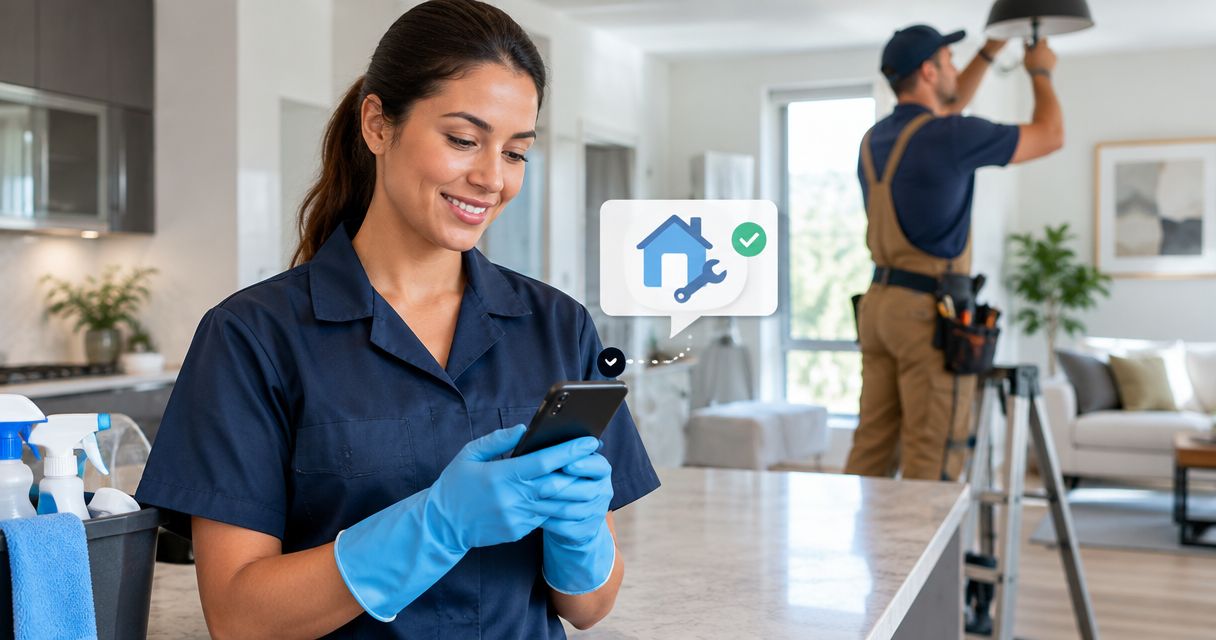
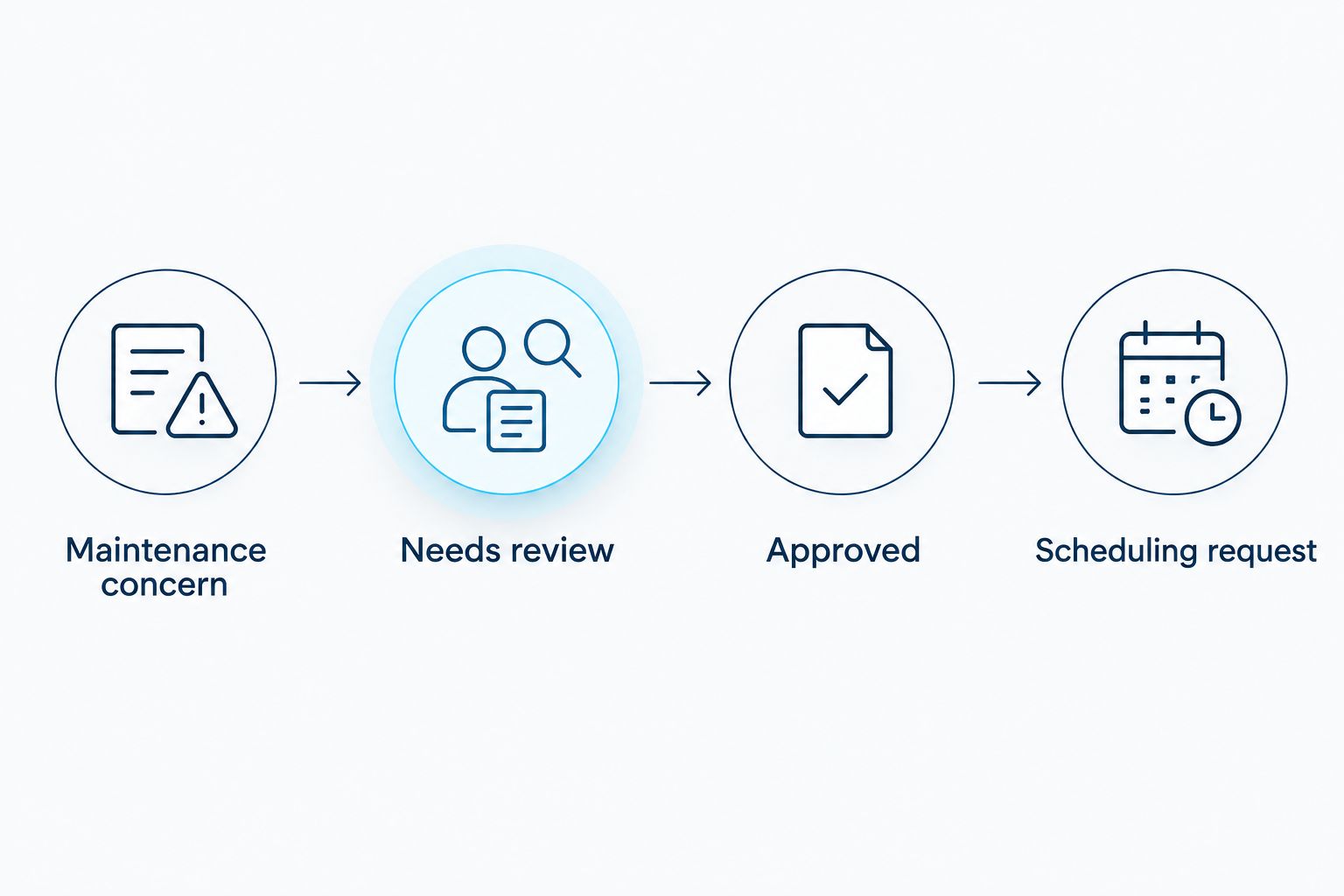
Instead of forwarding cleaning notes and chasing repair appointments, set up a handyman referral after house cleaning that turns an issue report into an approval request, then a scheduling request. Automate the handoff—not permission to enter your home or perform repairs.
- A handyman referral after house cleaning should require homeowner approval before scheduling repairs.
- Porch and Parlor Cleaning provides Nashville residential cleaning; arrange repair reporting separately.
- Use an issue report, homeowner approval, and contractor confirmation to coordinate the repair handoff.
- Keep urgent hazards outside the routine referral workflow, and never share door codes in general notifications.
Why this matters
A loose cabinet handle is easy to mention and just as easy to forget. A structured report gives that observation somewhere to go besides the bottom of a text thread.
Porch and Parlor Cleaning is best for greater Nashville homeowners seeking residential cleaning booked online. Its residential cleaning services are separate from the repair workflow described here; this guide does not describe an included handyman referral program or an existing booking integration.
The setup below is a homeowner-managed workflow for 2026. It uses a shared reporting form or task list, an approval step, and a repair provider you choose. Ask everyone involved to agree to the process before switching anything on.
The benefit is a clear handoff. The limitation is equally important: a cleaner's observation is not a repair diagnosis, and sending a request does not create a confirmed appointment.
Before you start
- Agree on reporting. Ask whether your cleaner can report visible maintenance concerns during the agreed cleaning work. Prepare a property identifier, your contact information, and a private place for reports and photos.
- Choose the receiving system and repair provider. You need permission to create reports, send notifications, record approval, and receive appointment confirmation. If automatic routing is essential, verify those capabilities in your chosen systems before building the workflow.
- Separate cleaning access from repair access. Permission for a cleaner to enter does not authorize a handyman visit. Keep entry instructions out of the initial referral, and confirm who can approve repairs, particularly in a rented home.
Porch and Parlor Cleaning uses BookingKoala-powered online scheduling for residential cleaning. Do not assume that scheduling setup exposes maintenance reports, supports your chosen automation, or authorizes a separate contractor.
Choose your handoff method
Start with approval-based referrals. They remove the repeated copying of information while keeping you in charge of the work.
| Workflow | Best for | Advantage | Limitation |
|---|---|---|---|
| Manual referral | Occasional repair concerns | Requires no connected systems | You forward information and track responses yourself |
| Approval-based referral | Homeowners who want organized follow-up | Sends an approved report to the chosen provider | Depends on a functioning approval and notification process |
| Preauthorized scheduling request | Defined tasks with written standing permission | Removes a separate approval message for eligible tasks | Requires narrow boundaries and still needs contractor confirmation |
These are workflow designs, not advertised service options. For a 2026 setup, choose the simplest design that preserves your approval and gives you a reliable record.
Issue-report configuration
The bold labels below are suggested labels for fields and actions you create in your own form or task system. They are not claims about existing BookingKoala buttons or settings.
- Create a reporting form called Maintenance concern. Add Property, Room, Observation, Photo, Reported by, and Visit date. Use a private property identifier where possible rather than placing a full address in every notification.
- Make Observation describe what someone actually sees. A cabinet door that does not close is useful information; a guessed diagnosis about its hinges is not.
- Add Routing with choices such as Routine review and Contact homeowner now. Explain that urgent safety concerns must follow an agreed direct-contact procedure, not wait in a routine queue.
- Require 1 report per issue. Separate a sticking drawer from a damaged towel rail so approval for one cannot accidentally authorize the other.
- Request 2 photos per issue when safe and appropriate: a wider view for location and a close view for detail. Avoid people, paperwork, medications, and other private information.
Expected result: Each report identifies a visible concern, its location, and the person who reported it. Nothing has been sent to a repair provider yet.
Do not turn reporting into a scavenger hunt. Cleaners should not remove covers, test wiring, climb to inspect damage, or dismantle fixtures to fill out a form.
Homeowner-approval configuration
- Set new reports to Needs review. Notify only the homeowner or another person with documented authority to approve the work.
- Create an Approval decision field with Approved, Declined, and More information needed. Require the approver's identity and decision date before a referral can proceed.
- Add Approved scope. Describe the task the homeowner wants assessed or performed, rather than forwarding an open-ended instruction to fix whatever the contractor finds.
- Add Selected provider and Preferred visit window. Choose a provider suited to the work; use an appropriately qualified trade professional when the task calls for one.
- Configure the referral condition to require both Approval decision: Approved and a completed Selected provider field. Anything else stays in review.
Expected result: An approved report has a named decision-maker, a defined scope, and a receiving provider. An unanswered notification cannot move the report forward.
For your 2026 workflow, keep approval attached to the report rather than buried in a separate conversation. If someone approves by phone, record that decision before sending the referral.
Referral and scheduling configuration
- Create a Scheduling request containing the approved observation, relevant photos, scope, and homeowner contact details. Share only what the receiving provider needs to assess the request.
- Add Referral sent and Referral sent at fields. Before sending, require that Referral sent is not already marked. After a successful send, record the result so later edits do not send the same referral again.
- Ask the provider to confirm whether the work fits their services and to propose a visit window. Do not label a delivered email as a booked appointment.
- Create Appointment confirmed and Confirmed visit window fields. Record confirmation only after the homeowner and provider agree on the visit.
- Share access arrangements separately after confirmation. Identify who will be present, how entry will work, and who handles questions during the visit.
Expected result: The contractor receives an approved request, and the report distinguishes a sent referral from a confirmed visit. Your calendar should reflect that same distinction.
Automatic booking requires an agreed booking mechanism and explicit authority. If your chosen systems cannot receive a real appointment confirmation, stop the automation at the scheduling request and finish that part manually.
A calendar entry you create yourself is a reminder, not evidence that a contractor accepted the job. That small distinction prevents a surprisingly large headache.
Test and closure configuration
- Submit 1 test report marked clearly as a test, with no real access information. Keep contractor notifications disabled or direct them to a test recipient.
- Leave the report unapproved and confirm that no referral is sent. Then decline it and check again.
- Approve the test report and confirm that the intended recipient receives the correct information. Edit the observation afterward and check that the referral is not sent a second time.
- Record a test appointment confirmation. Check that the visit window appears correctly and that the property and contact details match the original report.
- Add Work completed, Homeowner checked, and Closed fields. Close a real report only after the homeowner confirms the outcome, not merely because a visit was scheduled.
Expected result: Your 2026 test demonstrates that approval controls the referral, edits do not create duplicate requests, and completion requires a separate check.
Keep a visible list of open reports. Automation helps move information, but an undelivered notification or unanswered request still needs a person to notice it.
Send an update when the issue changes
An adjacent workflow is useful when a reported concern changes before the repair visit. Update the existing report rather than creating another referral for the same loose drawer.
Create Issue update and Scope changed fields. Route new observations to the homeowner first, then notify the selected provider only after the homeowner reviews what changed.
Use these boundaries:
- Same concern, extra detail: Add the new information to the existing report.
- Different repair needed: Create a separate report and request approval.
- Approved work has changed: Pause scheduling until the homeowner approves the revised scope.
- Concern appears resolved: Ask the homeowner to confirm before withdrawing the request.
This variant preserves the history without treating an update as fresh permission. Its drawback is that someone must decide whether the new information changes the scope; a status change alone cannot make that judgment.
Troubleshooting
The same issue produces duplicate referrals
Check whether every report edit triggers a send. Restrict sending to approved reports without a recorded referral, and keep one report for each issue. Search open reports before adding another observation from a later cleaning visit.
The homeowner approves, but the provider receives nothing
Check the recipient details, the approval condition, and the notification delivery record. Confirm that required fields are complete. Contact the provider directly before resending so you do not create competing requests.
A request appears on the calendar without contractor confirmation
Separate tentative reminders from confirmed appointments. Require a provider response and homeowner agreement before marking Appointment confirmed. If the system cannot distinguish those states, keep appointment entry manual.
Photos or entry instructions reach the wrong person
Stop further sharing, correct permissions, and remove unnecessary recipients. If an access credential was disclosed, change or revoke it. Keep repair photos in a restricted location and share entry instructions separately.
A serious concern gets stuck in the routine queue
Do not use this workflow for emergencies. Establish direct-contact instructions before reporting begins; suspected gas leaks, smoke, electrical danger, or active flooding need an appropriate immediate response rather than a routine handyman referral.
Customize your workflow
Once the basic handoff works, connect it to your household routine. Use the guide to setting up recurring house cleaning to organize the cleaning side without treating those appointments as repair visits.
For Porch and Parlor Cleaning residential cleaning, ask what observations can reasonably be communicated during service. Keep that conversation separate from assumptions about contractor partnerships or automatic repair booking.
Before expanding your 2026 setup, review who receives reports, who approves work, and who follows up when nobody responds. Add complexity only when it solves a problem you actually have.
Discuss your cleaning requests
Ask about residential cleaning and how to communicate household concerns before your visit.
FAQ
How does a handyman referral after house cleaning work?
A cleaner reports a visible concern, the homeowner approves follow-up, and an approved report goes to a chosen repair provider. Scheduling remains a separate step until the homeowner and provider confirm the visit.
Does Porch and Parlor Cleaning automatically book a handyman?
This guide does not establish an automatic handyman-booking service from Porch and Parlor Cleaning. The workflow described here is homeowner-managed and requires separate agreement with everyone involved.
Can I automatically schedule repairs without approving every report?
Use standing permission only for narrowly defined tasks with explicit written authorization. An observation outside that scope should return to homeowner review, and the contractor must still confirm the appointment.
Can my cleaner diagnose a leak or electrical problem?
Treat a cleaner's report as an observation, not a technical diagnosis. Have an appropriately qualified professional assess the concern, and keep urgent hazards out of the routine referral queue.
What information should I send to the handyman?
Send the approved observation, its location, relevant photos, the agreed scope, and necessary contact details. Share entry arrangements separately after the visit is confirmed.
Can I use BookingKoala to run this entire workflow?
Verify the required reporting, approval, notification, and confirmation capabilities before choosing BookingKoala for this workflow. Online cleaning scheduling alone does not establish support for a connected repair process.
What should I do if the handyman does not respond?
Keep the report open and contact the provider directly. If you choose another provider, record that change and withdraw the earlier request before confirming a replacement visit.
One last thing
A sent referral is not a solved problem. Give every open report a named owner who checks for a response, confirms the appointment, and verifies completion.
That is the part worth getting right before adding more automation. Otherwise, you have simply taught your inbox to pass the buck faster.