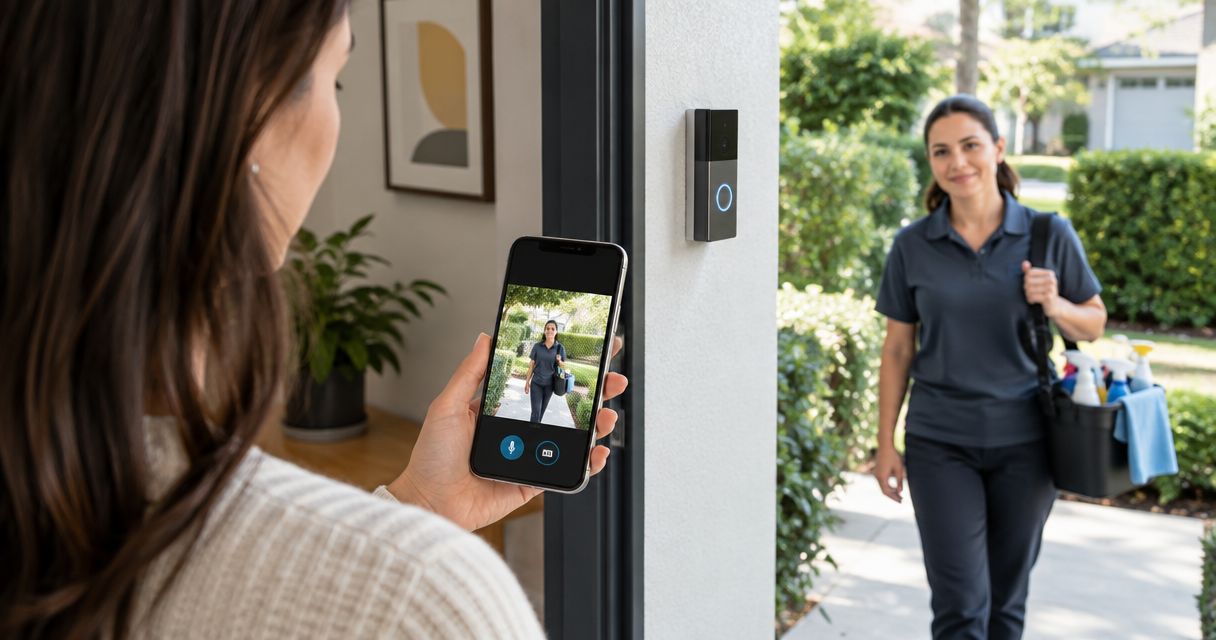
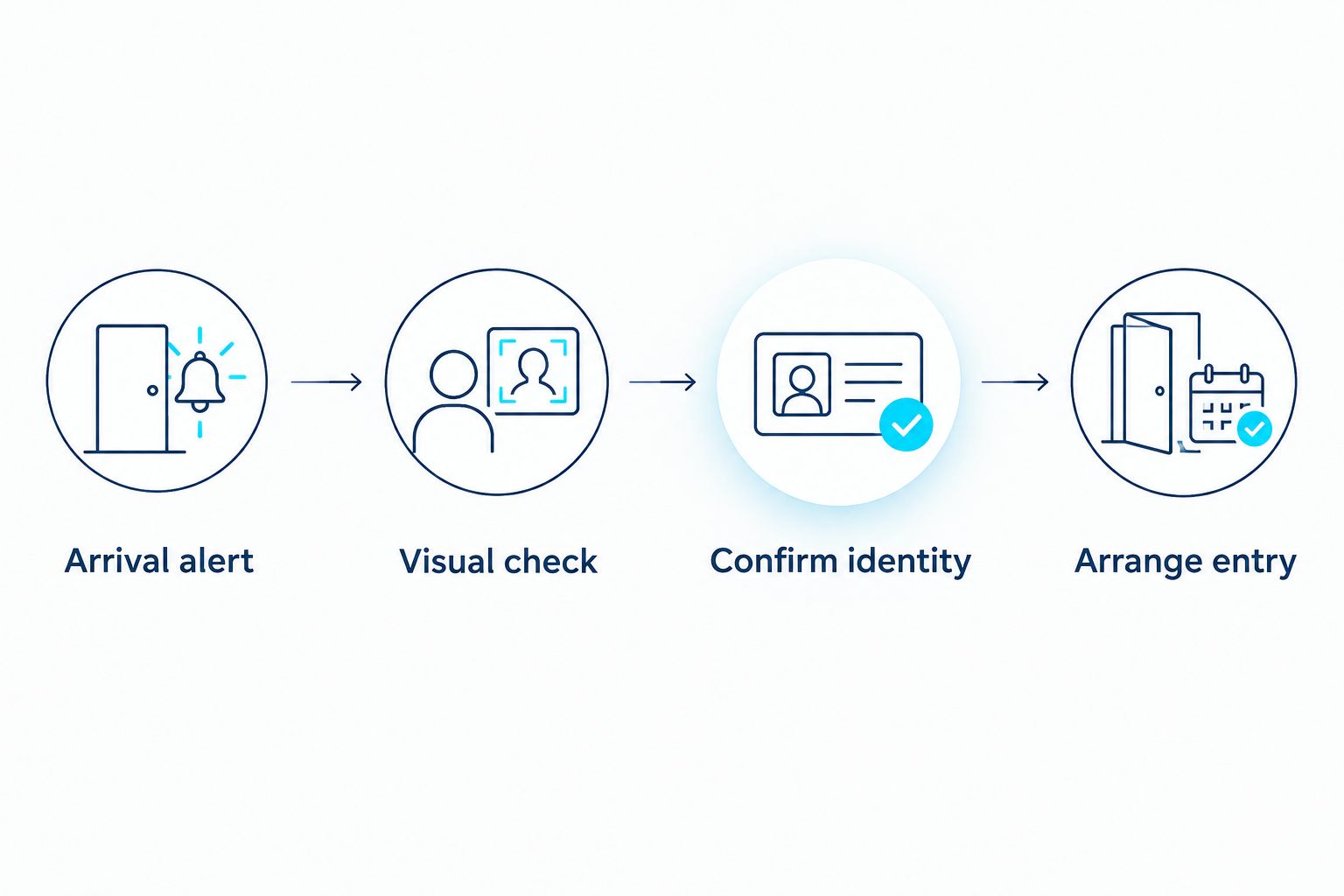
Instead of checking your porch or texting to ask whether your cleaner has arrived, connect your Ring doorbell to the Ring app, enable arrival alerts, and visually confirm the visitor before arranging entry. This ring doorbell house cleaner verification workflow uses your doorbell alongside your cleaning appointment—not as an automatic connection to the booking system.
- Ring doorbell house cleaner verification works best with arrival alerts followed by a visual check.
- Ring motion detection identifies activity, not whether someone is your scheduled cleaner.
- Porch and Parlor Cleaning offers residential cleaning booked online for greater Nashville homeowners.
- Test notifications before your appointment; confirm recording access before relying on saved footage.
Why this matters
A doorbell notification tells you something happened at the door. It does not, by itself, confirm that the person is your cleaner, that they entered, or that the cleaning is complete. Those are separate checks.
Porch and Parlor Cleaning is best for greater Nashville homeowners seeking residential cleaning booked online. You can use your own Ring doorbell alongside a booking with Porch and Parlor Cleaning, while keeping appointment details and camera access separate.
For your 2026 setup, aim for a simple handoff: receive an alert, check the visitor, then follow the entry instructions you agreed on. No detective hat required. Keep a phone or message fallback so a missed notification does not leave someone waiting outside.
Before you start
- Gather your access: Have your Ring doorbell, a working home Wi-Fi connection, the Ring app, and permission to manage that device. If the doorbell is already installed, use its existing authorized account rather than registering it again.
- Prepare the visit details: Confirm the appointment window, which entrance the cleaner should use, and how you will communicate if the doorbell does not work. Tell the cleaner about the entrance camera and your arrival-check routine before the visit.
- Check the recording gotcha: Live viewing and saved recordings are different features. Reviewing recorded events requires an eligible Ring subscription and recording configuration; an alert alone does not guarantee footage will be available later.
Do not give the cleaner your Ring password. A visitor does not need access to your camera account to press the doorbell, identify themselves, or follow agreed entry instructions.
Configure your Ring connection
Device setup
- Open the Ring app and sign in to the account that owns or manages your doorbell.
- If the doorbell is not connected yet, select Set Up a Device, choose the doorbell category, and follow the app's instructions to scan its setup code and connect it to Wi-Fi.
- If it is already connected, open Devices and select the doorbell covering the cleaner's entrance. Avoid changing a working installation just to add this routine.
- Open Live View and check that you can see the approach and the place where a visitor normally stands.
- Open Device Health to inspect connection and power information if the camera does not respond. Resolve those issues before configuring arrival notifications.
Expected result: You can open a current view of the correct entrance from your phone. Seeing an old event thumbnail is not the same as successfully opening Live View.
Ring app layouts and available controls depend on the device and app version. In 2026, use the controls available for your installed doorbell rather than assuming every model has identical motion features.
If the cleaner normally uses a side door outside the camera's view, settle that now. Ask whether the front entrance is practical, or use a direct arrival message instead. A camera pointed at the wrong door is a very diligent watcher of the wrong place.
Arrival alerts
- Open the selected doorbell's device dashboard and turn on Ring Alerts for doorbell presses.
- Turn on Motion Detection and Motion Alerts if you also want notifications when someone approaches without pressing the button.
- Open Motion Settings, then Motion Zones, where supported. Set coverage around the entrance and approach rather than deliberately including unrelated sidewalk or street activity.
- In your phone's notification settings, allow notifications from the Ring app. Check whether your phone's focus, silent, or do-not-disturb settings suppress the alerts you need.
- Review any motion schedules or snooze settings you have enabled. Make sure they do not silence motion notifications during the appointment window.
Expected result: A doorbell press generates a Ring notification, and motion generates a notification when enabled and detected within your configured coverage.
Use a doorbell press as the primary arrival signal when the cleaner agrees to it. Motion is useful backup, but it also catches deliveries, household members, and other activity. Neither signal identifies your cleaner automatically.
Choose the simplest routine that fits your household:
| Arrival method | Best for | Pros | Cons |
|---|---|---|---|
| Doorbell press | Homeowners who can agree on a clear arrival action | The visitor deliberately signals that someone is at the door | Depends on the visitor pressing the button and your phone receiving the alert |
| Motion alert | Homeowners wanting an approach notification | Can notify you before anyone presses the doorbell | Other movement triggers alerts; detection alone does not establish identity |
| Direct arrival message | Homes with an entrance outside camera coverage | Gives you a communication fallback independent of the camera | Relies on the agreed messaging method and does not provide a visual check |
Keep all three signals in perspective. They help coordinate a visit; they are not attendance records unless you separately confirm what happened.
Notification test
- Lock your phone and have a household member make 2 test approaches along the route your cleaner will use. If motion alerts are enabled, check whether each approach generates the expected notification.
- Ask the helper to make 1 doorbell press. Confirm that you receive the ring notification with the phone locked.
- Open Live View from the app and check whether you can see the visitor clearly enough to have a useful conversation.
- Test from outside your home Wi-Fi connection by using your phone's mobile data. This checks the viewing path you will use when away from home.
- If you plan to review recordings later, open Event History and confirm that the test event has playable video—not merely an event entry.
Expected result: You have tested the alert, live viewing, and any recording access you intend to use before the cleaning appointment.
These test counts are a setup checklist, not a Ring performance guarantee. If a test fails, fix the relevant connection or notification setting and repeat that part. Do not assume another alert will arrive because the first one did.
Repeat this check after replacing your phone, changing Wi-Fi, or adjusting notification permissions during 2026. A previously working routine still depends on the current settings.
Visit verification
- Check the current appointment details before the visit. Use the confirmed arrival window, not an old calendar entry.
- Tell the cleaner which entrance to approach and whether to press the doorbell. Explain what to do if you do not answer.
- When the notification arrives, open the live view or answer the doorbell interaction. Ask the visitor to identify themselves if identity is not clear.
- Compare the visitor's explanation with your appointment. If you remain unsure, contact the cleaning business through your established communication channel before allowing entry.
- Follow the previously agreed access arrangement. A Ring video doorbell by itself does not unlock your door.
- Make 2 separate checks in your visit notes: arrival confirmed and entry confirmed. Record only what you actually verified.
Expected result: You know who is at the entrance and whether the agreed entry handoff happened. You have not mistaken a motion alert for proof that cleaning started.
For a Porch and Parlor Cleaning residential cleaning appointment, keep the booking details in the booking workflow and the camera controls in Ring. This guide does not require a BookingKoala-to-Ring connection or automatic changes to your appointment status.
Use motion alerts when the cleaner approaches
Motion-based verification is the adjacent workflow for visits where the cleaner approaches an agreed entrance without always pressing the doorbell. Use it as a prompt to look, not as proof of identity.
Keep Motion Detection and Motion Alerts enabled, configure the approach area, and agree on a direct arrival message as backup. When an alert arrives during the appointment window, open Live View and complete the same identity and entry checks.
The benefit is an earlier opportunity to respond. The limitation is ambiguity: a person near the entrance is not necessarily the person you booked. Even a person-specific motion notification does not establish who that person is.
Do not automatically grant access based only on motion detection. Match the activity to your appointment and confirm the visitor first. That rule stays useful throughout 2026, regardless of which notification features your device supports.
If the appointment changes, update your own reminder and tell anyone handling the door. Ring motion detection does not know that a cleaning visit has been rescheduled.
Troubleshooting
You see events but receive no phone notification
Check Ring Alerts and Motion Alerts on the correct doorbell, then check the Ring app's notification permission on your phone. Review focus settings, motion snooze, and motion schedules. Test with the phone locked after making changes.
Motion alerts catch the street but miss the approach
Open Motion Settings and review Motion Zones where available. Check the actual route from the gate, driveway, or walkway to the door. Retest that route rather than waving directly in front of the camera and calling it done.
Live View will not open when you are away
Check that your phone has a working internet connection, then inspect the doorbell's connection and power in Device Health. Test both home Wi-Fi and mobile data. Use the agreed arrival message while resolving the camera issue instead of leaving the cleaner waiting.
An alert exists but there is no playable recording
Confirm that recording is enabled and that the device has eligible subscription coverage. A notification or event listing is not a guarantee of saved video. If you missed the live interaction, ask for direct confirmation rather than reconstructing an arrival from incomplete evidence.
The cleaner arrives but never appears on camera
Confirm which entrance they used and whether it falls inside the camera's view and motion coverage. Agree on an entrance the camera can see when practical; otherwise, make a direct message your primary signal. Do not label the visit a no-show because one entrance produced no alert.
Customize your workflow
Keep the system small enough that you will actually use it. For recurring appointments, pair a calendar reminder with the Ring arrival routine, and give another authorized household member responsibility for answering when you are unavailable.
Before each visit, check these details:
- Entrance: Is the cleaner using the door the camera covers?
- Contact: Who will respond if the homeowner misses the alert?
- Access: What happens after identity is confirmed?
- Privacy: Does the cleaner know about the entrance camera?
- Schedule: Has the appointment window changed?
If entry is the awkward part, read the guide to connecting a smart lock to your house cleaner's entry schedule. Treat camera verification and lock access as separate decisions; do not assume that owning both devices creates an automatic connection.
Porch and Parlor Cleaning offers online booking for residential cleaning in greater Nashville. The service handles the cleaning appointment; your household controls its Ring account and entry arrangements. That separation keeps passwords and camera permissions out of routine scheduling conversations.
FAQ
How do I use a Ring doorbell to verify my house cleaner's arrival?
Enable Ring alerts, agree on an arrival signal, and visually confirm the visitor against your cleaning appointment. Arrange entry separately after confirming identity.
Does a Ring motion alert prove my cleaner arrived?
No. A Ring motion alert shows detected activity, not the visitor's identity or whether they entered your home. Use Live View or direct communication to complete the check.
Can Ring automatically mark my cleaning appointment as started?
This workflow does not automatically update your cleaning appointment. Use Ring for the entrance check and keep appointment status in your established booking or communication process.
Do I need saved recordings to check an arrival?
No, you can check an arrival through a live interaction when the doorbell and your phone are connected. Reviewing footage afterward requires eligible recording access and a successfully recorded event.
Should I share my Ring password with my cleaner?
No. Your cleaner does not need your Ring password to press the doorbell or follow arrival instructions. Keep camera-account access separate from cleaning access.
What should I do if I miss the doorbell notification?
Use the direct contact method you agreed on before the visit. Review recorded footage only if it is available, and confirm entry separately rather than assuming an alert proves access.
Can Ring confirm that my house cleaning is finished?
No. An entrance camera does not verify that the agreed cleaning tasks are complete. Confirm completion through your cleaning communication process and a check of the work.
One last thing
A missing doorbell event is not proof of a missed cleaning visit. A different entrance, disabled notification, connection problem, or unrecorded event leaves a gap in your camera evidence—not a reliable verdict about attendance.
For your 2026 routine, agree on the fallback before the first visit. One clear arrival message is more useful than an afternoon spent guessing what an empty event list means.