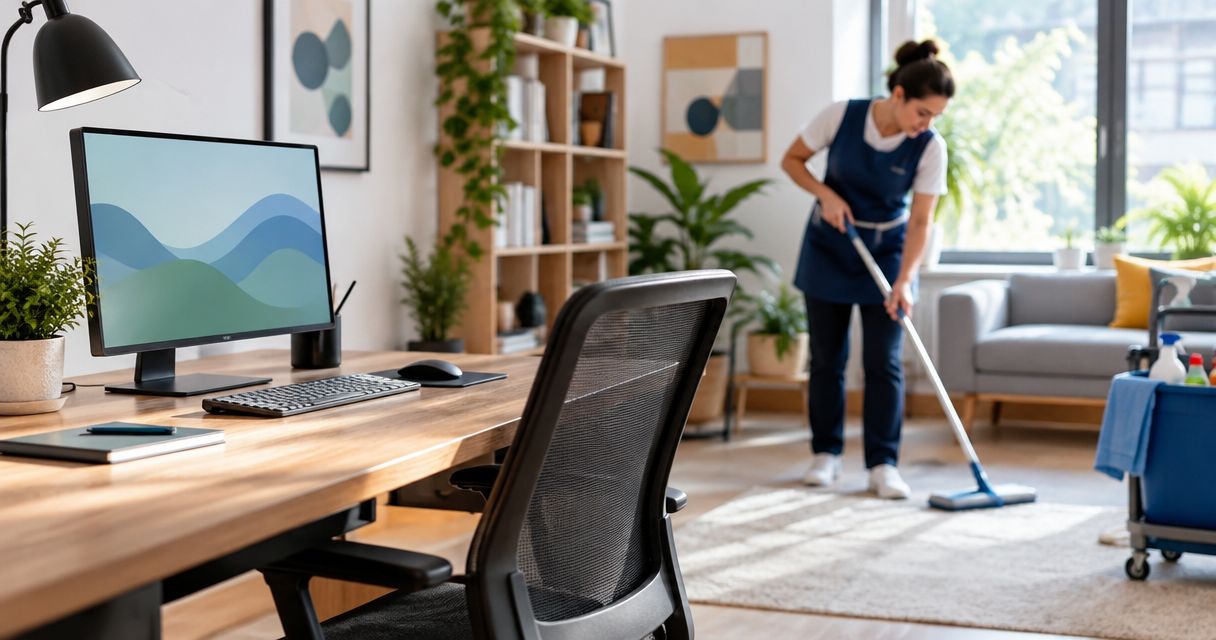
Yes. House cleaners work around a home office setup every day: they wipe the surfaces they can reach, vacuum or mop the floor around your desk, and leave papers, screens and cables exactly where they are. The catch is that anything you want cleaned underneath or behind has to be cleared first, because cleaners are not going to move your gear to get at it.
- Porch and Parlor Cleaning can work around a home office in 2026 by cleaning floors and open surfaces and leaving your equipment alone.
- Clear paper, cords and anything sensitive before the visit. Cleaners will not shuffle your desk.
- Tell the crew what is off limits in writing when you book, not on the day.
- Best for: remote workers who want a clean room without a reorganized desk.
Can house cleaners work around a home office setup?
Yes, and it is one of the most common setups a cleaning crew sees in 2026. Here is what that looks like in practice:
| Part of the office | What a cleaner typically does | What you handle |
|---|---|---|
| Floor | Vacuums or mops up to and around the desk and chair | Lift cords and small items off the floor |
| Desk surface | Dusts and wipes open areas | Clear papers, notes and anything sensitive |
| Monitors and keyboards | Light dusting on the outside only if you ask | Anything deeper, like cleaning a screen, is on you |
| Shelves | Dusts open surfaces | Move loose files and fragile items first |
| Trash and recycling | Empties the bins | Pull anything you still need out of them |
Verdict: Porch and Parlor Cleaning works best for home offices when the desk is tidy enough to wipe and the floor is clear enough to vacuum. Everything else is a conversation before the visit.
Why this matters
A home office is the one room where a cleaner can do real damage by being helpful. A stack of papers gets "straightened," a cable gets unplugged to reach an outlet, a sticky note with a password ends up in the bin. Nobody means harm. It just happens when a stranger tidies a workspace they do not understand.
The fix is simple. Decide in advance what the cleaner touches and what they skip. Do it once and it holds for every visit after.
If you work from home full time, it also helps to read about keeping a cleaning schedule while working from home, since the timing of the visit matters as much as the setup.
What cleaners will and will not do in a home office
Think of it like "a good workman never blames his tools." Your cleaner can only work with the room you hand them. A clear floor and a wipeable desk get a great result. A desk buried in paper gets a polite dusting around the edges.
Cleaners usually do:
- Vacuum or mop the floor around furniture
- Dust open shelves, window sills and baseboards
- Wipe down clear desk surfaces
- Empty trash and recycling bins
- Clean the door handles and light switches
Cleaners usually skip, unless you ask:
- Moving or reorganizing papers and files
- Unplugging or rearranging electronics
- Cleaning inside drawers or cabinets
- Moving heavy desks and furniture
On that last point, there is a separate guide on whether a house cleaner can move furniture during a visit.
How to prepare your home office before a cleaning visit
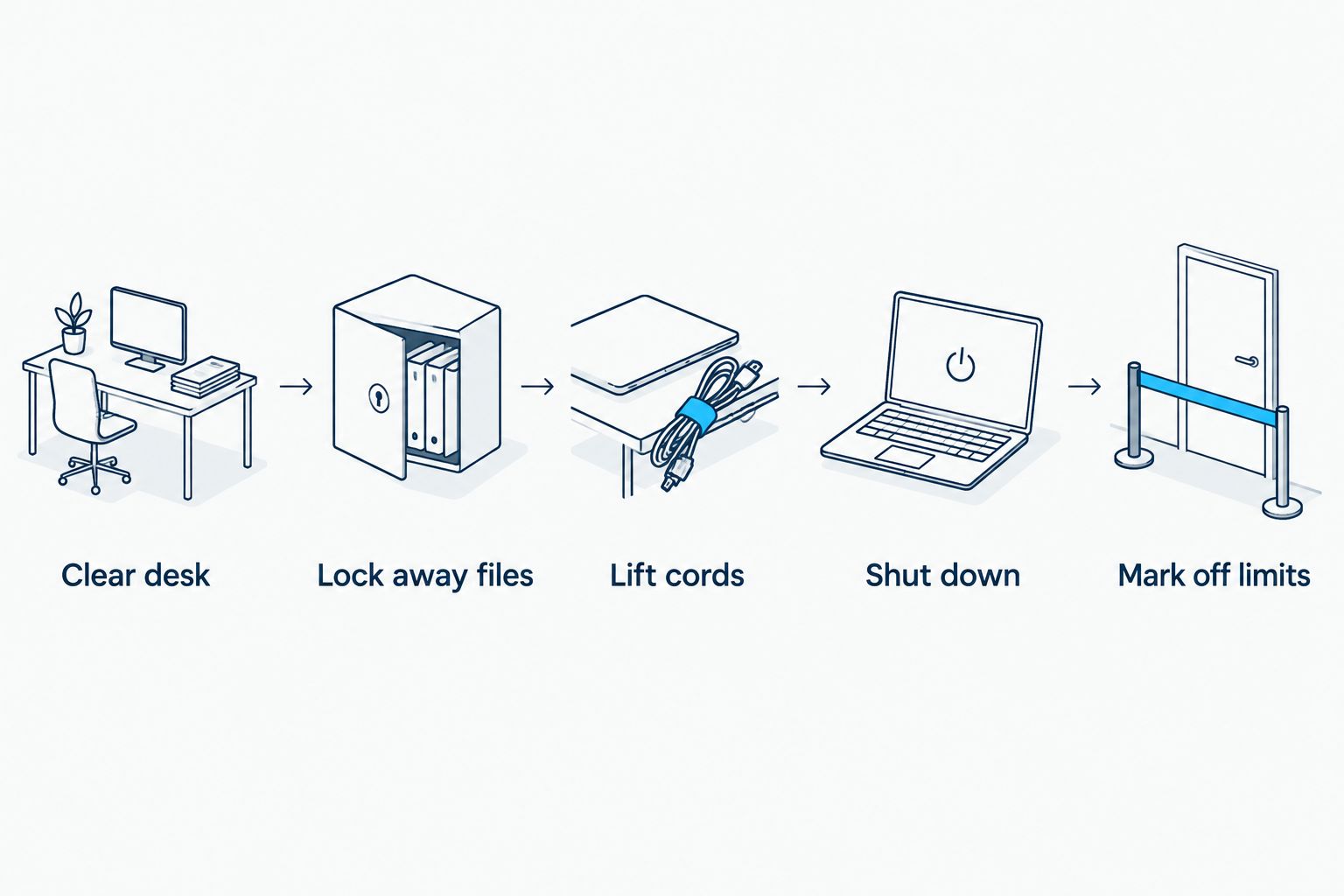
Ten minutes of prep protects your work and gets you a better clean. Do this the evening before:
- Clear the desk surface. Stack papers in a drawer or a box on a shelf, out of the wipe zone.
- Lock away anything sensitive. Client files, passwords, signed documents and anything you would not hand a stranger.
- Lift cords and cables. Loose cords on the floor get tangled in a vacuum.
- Save and shut down. Close your laptop and lock the screen, or take the laptop with you.
- Mark off limits. A sticky note on a shelf or a closed door tells the crew what to skip.
- Send the instructions in writing. Put them in the booking notes so every cleaner on the team sees them.
For the full walkthrough, see how to prepare your home office before a cleaning visit.
What if you work from home during the visit?
You can stay in the room, but plan for noise and interruptions. A vacuum running next to a video call is nobody's idea of a good meeting. Two ways to handle it:
- Book around your calls. Pick a visit window when you are out or in meetings elsewhere in the house.
- Ask the crew to do the office last or first. Then you know exactly when the noisy part happens.
You can also read about whether you can be home during a house cleaning. Short answer: most people can, and many remote workers do.
Why a home office clean varies
Not every office is the same job. These factors change how it goes:
- Desk clutter. A clear desk gets wiped. A full desk gets dusted around.
- Cord and cable mess. More cords mean more floor to skip.
- Floor type. Hardwood, carpet and rugs need different tools and time.
- Room size. A corner of a bedroom is not a dedicated study.
- Client visits. If clients or patients come to the room, it needs a more detailed clean, like the setups in home offices with therapy clients.
- Your off limits list. The longer it is, the less the cleaner can do.
Book a home cleaning in Nashville
Add home office notes when you book so your crew knows what to skip.
Can a cleaner clean my computer or monitor?
A cleaner can lightly dust the outside of a monitor or keyboard if you ask, but you should not expect a deep electronics clean. Screens and keyboards are easy to damage, so most people prefer to wipe their own gear.
Is it safe to leave my work papers out?
No. Clear them before the visit. Cleaners are not trying to read your files, but papers left on a desk get moved, stacked or tossed with the trash.
Will a cleaner unplug my equipment?
Not if you tell them not to. Put a note in your booking instructions that all electronics stay plugged in and untouched. If you are worried about the key and entry side of things, read about leaving a house key with a cleaning service.
Is my work-from-home setup a problem for a cleaner?
No. Remote workers are a normal part of the job, and there is a whole guide on house cleaning for work-from-home professionals if you want to go deeper.
FAQ
Can house cleaners work around a home office setup?
Yes. Cleaners vacuum around your desk, dust open surfaces and leave your equipment alone. Clear papers and cords first for the best result.
Will a cleaner touch my computer?
Not unless you ask. Tell the crew in your booking notes that electronics stay as they are, and shut down and lock your screen before the visit.
Should I clear my desk before the cleaner comes?
Yes. A clear desk gets wiped properly. A cluttered desk gets dusted around, and papers can get moved by accident.
Can I work from home while the cleaner is there?
Yes, but expect noise. Book the visit around your calls or ask the crew to do the office at a time that suits you.
Will a cleaner move my desk or chair?
Usually no. Heavy furniture stays put unless you arrange it ahead of time, so clear the floor around it instead.
What should I lock away before a cleaning visit?
Client files, passwords, signed documents and anything private. Put them in a drawer or a closed room before the crew arrives.
How do I tell the cleaner what to skip?
Write it in your booking notes and leave a sticky note on anything off limits. Written instructions beat a verbal heads up every time.
One last thing
The single best move is to give your cleaner one clear rule: the desk is yours, the floor is theirs. Keep papers and cords off the floor, keep your desk surface wipeable, and tell the crew once in writing. Do that and a home office stops being a special case and becomes just another room in 2026.